# OpenFlare
**[English](./README.md) | [简体中文](./README.zh-CN.md)**
OpenFlare is an open-source CDN orchestration and edge security platform. It supports reverse proxy, centralized configuration synchronization, in-network tunneling (Tunnels), dynamic WAF protection, and CC defense challenges.
> [!WARNING]
> After the first login with the `admin` user, you must change the default password `12345678`.
>
> The BETA version is a temporary product in the development and testing stage and may have unknown issues. It should not be used in production environments.
## Documentation
**https://openflare.fyrn.link**
Common entry points:
* [Quick Start](https://openflare.fyrn.link/guide/quick-start)
* [Deployment Guide](https://openflare.fyrn.link/deployment/deployment)
* [Configuration Reference](https://openflare.fyrn.link/reference/configuration)
* [System Design](https://openflare.fyrn.link/design/)
## Core Capabilities
* **Reverse Proxy Configuration Management**: Uses website rules as the aggregation boundary, supports multi-domain binding and multi-upstream load balancing, and centrally manages reverse proxy configurations for all OpenResty nodes.
* **Secure In-Network Tunneling (Tunnels)**: Open-source version of Cloudflare Tunnels. No public IP or exposed inbound ports are required. Securely reverse-proxy internal web services to the public internet through Relay relay nodes and OpenFlared clients.
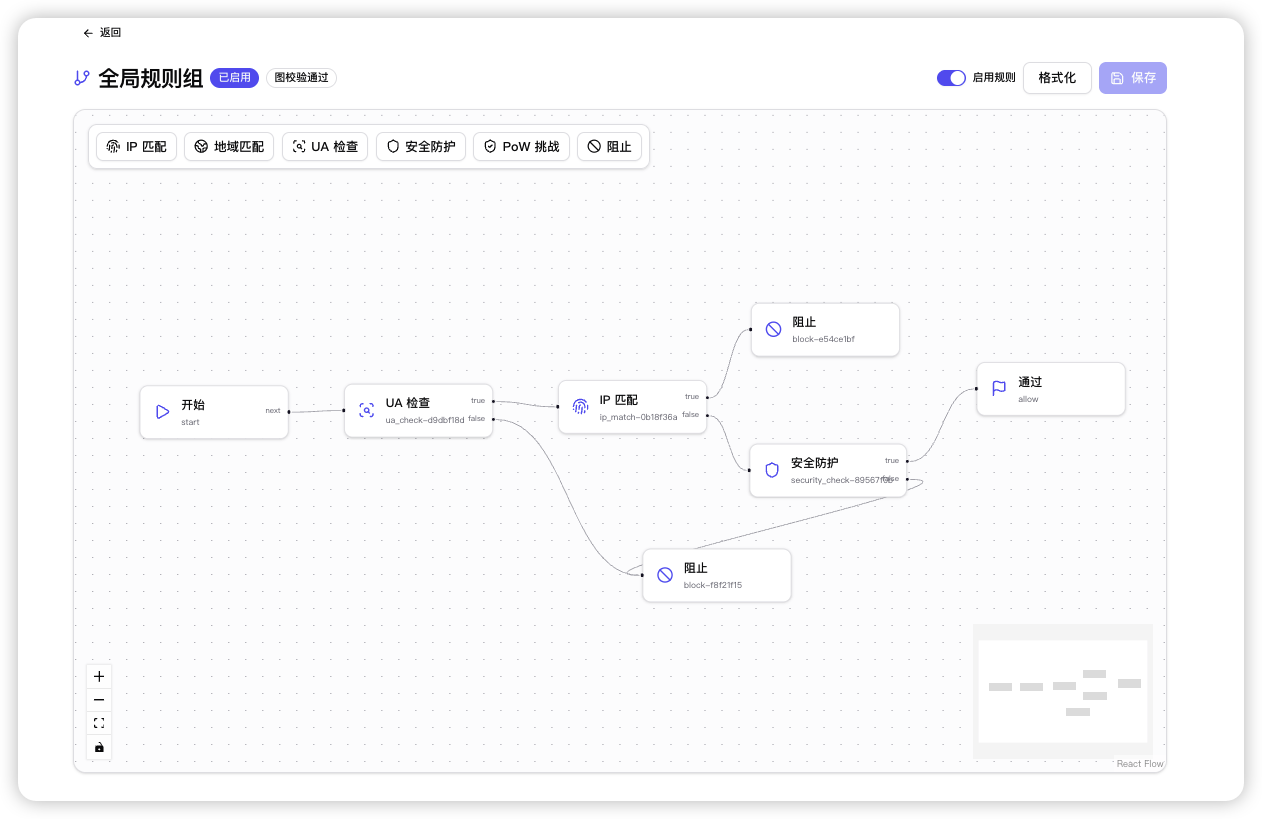
* **Edge WAF Security Protection**: Provides global and custom rule groups, supports manual/auto/subscription-type IP groups, MaxMind GeoIP national-level geographic access control, IP group member Checksum differential synchronization (no Nginx reload required), and custom blocking responses.
* **CC Defense and Human-Computer Challenge (PoW)**: Built-in high-performance client-side cryptography Proof of Work challenge (similar to Turnstile). Secures high-speed interception and blocking of zombie networks and crawlers at the gateway edge.
* **Pages Static Hosting**: Supports uploading or synchronizing pre-built artifacts from restricted Remote URLs or public GitHub Release assets. GitHub latest can be checked periodically and optionally auto-published. All sources are unified to generate immutable deployments, pulled by the edge Agent and served locally by OpenResty, supporting rollbacks, SPA Fallback, and API reverse proxy.
* **TLS Certificate Automation**: Supports dynamic certificate uploads, automatic multi-domain certificate matching and binding, and automatic issuance and renewal of certificates from Let's Encrypt via the ACME protocol.
* **Uptime Kuma Monitoring Synchronization**: Integrated with Uptime Kuma to automatically perform differential synchronization of monitoring site lists, real-time awareness of node availability and service status.
* **SSO Single Sign-On**: Supports GitHub OAuth and standard OIDC protocol for seamless integration with enterprise identity providers to achieve unified login.
* **Unified Observability**: Aggregates node request metrics, real-time access log details, host and Nginx resource snapshots, health events, and network fluctuation replenishment buffers.
## Interface Preview
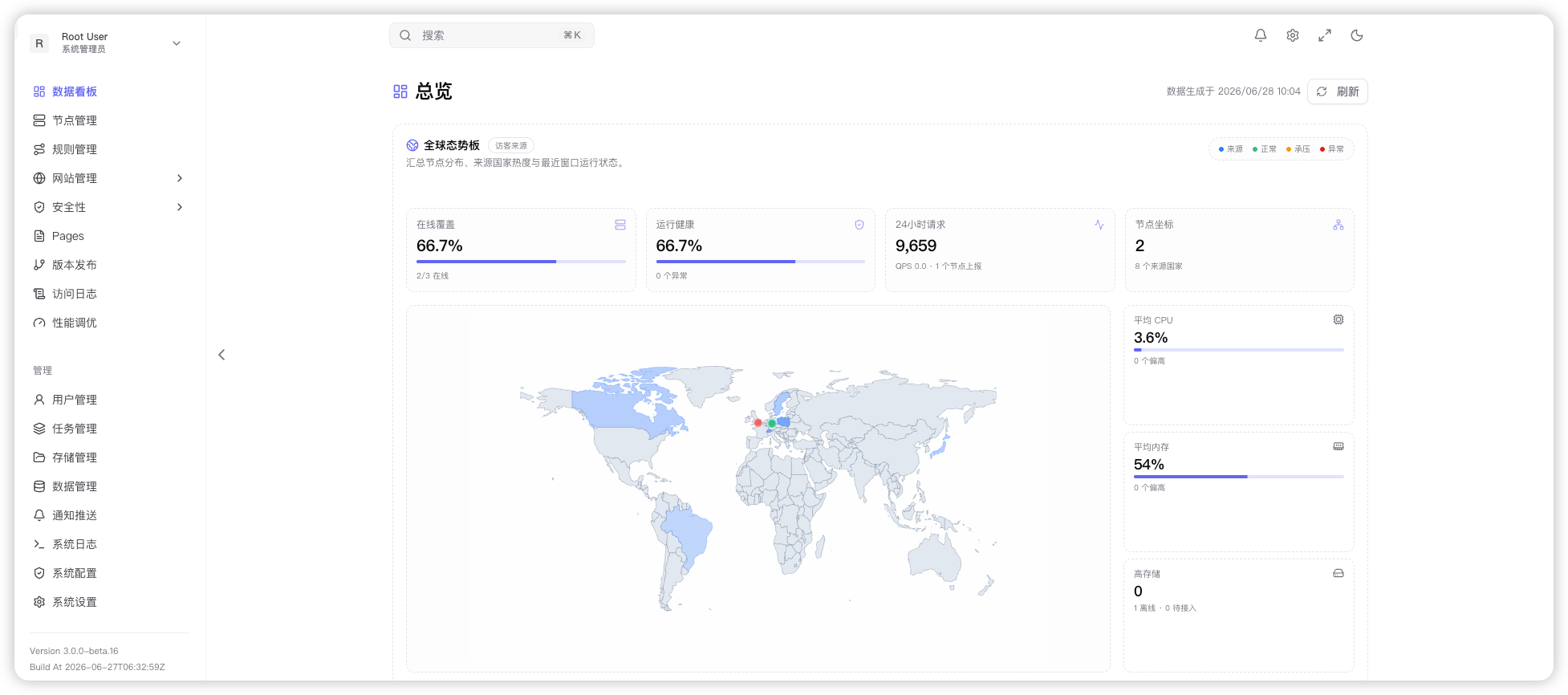
### Dashboard Overview
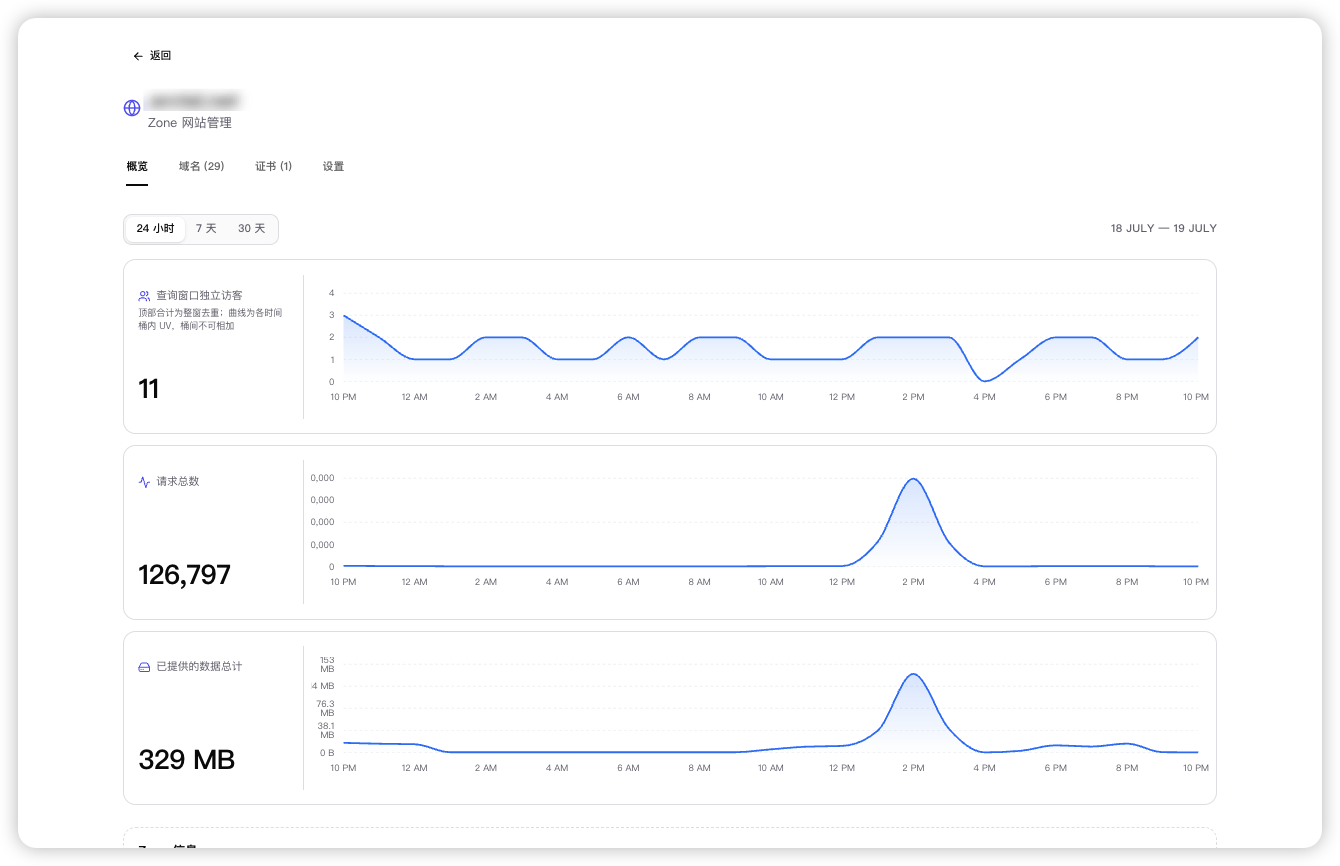
### Access Logs
### WAF Protection
## Quick Start
### Hardware Configuration Recommendations
| Component | Minimum Hardware Requirements | Recommended Hardware Requirements | Notes |
|------------------------|-----------------------------------|-----------------------------------|-------|
| **Server Control Plane** | 1 CPU core / 2 GB RAM / 20 GB disk | 2 CPU cores / 4 GB RAM / 50 GB+ disk | Disk usage should be expanded reasonably based on access log retention duration and concurrent traffic |
| **Agent Data Plane** | 1 CPU core / 512 MB RAM / 2 GB disk | 2 CPU cores / 2 GB RAM / 10 GB+ disk | Expanded based on OpenResty concurrent proxy connections and WAF interception processing |
| **Relay Relay Node** | 1 CPU core / 1 GB RAM / 5 GB disk | 2 CPU cores / 2 GB RAM / 20 GB disk | frps transmission relay throughput is mainly limited by bandwidth and CPU throughput |
| **OpenFlared Client** | 1 CPU core / 256 MB RAM / 1 GB disk | 1 CPU core / 512 MB RAM / 5 GB disk | Runs independently on the internal network with extremely low resource consumption; only network throughput needs to be guaranteed |
### 1. Start the Server
Use `docker-compose`:
```bash
# Download environment variable template and create .env file
curl -o .env.example https://raw.githubusercontent.com/Rain-kl/OpenFlare/refs/heads/main/.env.example
cp .env.example .env
```
```yaml
services:
openflare:
image: ghcr.io/rain-kl/openflare:latest
restart: unless-stopped
env_file: .env
environment:
TZ: ${TZ:-Asia/Shanghai}
ports:
- "3000:3000"
volumes:
- openflare_uploads:/app/uploads
depends_on:
postgres:
condition: service_healthy
redis:
condition: service_healthy
postgres:
image: postgres:17-alpine
restart: unless-stopped
environment:
POSTGRES_DB: ${DB_NAME:-openflare}
POSTGRES_USER: ${DB_USERNAME:-openflare}
POSTGRES_PASSWORD: ${DB_PASSWORD:-replace-with-strong-password}
volumes:
- openflare_postgres_data:/var/lib/postgresql/data
healthcheck:
test: ["CMD-SHELL", "pg_isready -U ${DB_USERNAME:-openflare} -d ${DB_NAME:-openflare}"]
interval: 10s
timeout: 5s
retries: 5
redis:
image: valkey/valkey:8.0-alpine
restart: unless-stopped
command: ["valkey-server", "--appendonly", "yes"]
volumes:
- openflare_redis_data:/data
healthcheck:
test: ["CMD", "valkey-cli", "ping"]
interval: 10s
timeout: 5s
retries: 5
start_period: 5s
volumes:
openflare_uploads:
openflare_postgres_data:
openflare_redis_data:
```
See the [deployment documentation](https://openflare.fyrn.link/deployment/deployment) for details.
Access address: `http://localhost:3000`
Default account:
* Username: `admin`
* Password: `12345678`
### 2. Install Agent
Before installing the Agent, first install OpenResty on the node or use the built-in OpenResty Agent Docker image.
You can copy the installation command from the control panel's **Nodes Management -> Details -> Node Information -> Node ID and Deployment**, or use the script below:
#### Docker Deployment
Docker deployment can directly run the Agent image:
```bash
docker pull ghcr.io/rain-kl/openflare-agent:latest
docker rm -f openflare-agent 2>/dev/null || true
docker run -d --name openflare-agent --restart unless-stopped \
-p 80:80 -p 443:443/tcp -p 443:443/udp \
-v openflare-agent-pages:/data/var/lib/openflare/pages \
-e OPENFLARE_SERVER_URL=http://your-server:3000 \
-e OPENFLARE_AGENT_TOKEN=YOUR_AGENT_TOKEN \
ghcr.io/rain-kl/openflare-agent:latest
```
## Open Source License
This project is licensed under the [Apache License 2.0](./LICENSE).
## Star History


